


To find backlinks for a site, use Google Search Console if you own the website, or use third-party backlink tools such as Ahrefs, Semrush, Moz, Majestic, Ubersuggest, or SE Ranking if you want to check your own site, a client site, or competitor websites.
The process is simple: enter the domain or URL, review the referring domains, check the backlink sources, analyse anchor text, inspect link quality, find lost backlinks, and compare competitor backlink profiles.
For businesses that want expert support, ClickDo IO helps websites understand, plan, and scale backlink strategies through specialist link-building services, guest posting, niche backlinks, and transparent pricing options.
Key Takeaways:
- Backlinks are links from other websites pointing to your site.
- Google Search Console is the best free tool for checking backlinks to a verified website.
- Paid SEO tools are better for competitor backlink research.
- Referring domains are often more useful than total backlink count.
- Good backlinks are relevant, natural, trusted, and useful for readers.
- Poor backlinks can come from spam sites, automated pages, hacked websites, or irrelevant link networks.
- Anchor text should look natural and include branded, topical, URL, and generic variations.
- Competitor backlink analysis can reveal guest post, PR, directory, and niche link opportunities.
- Businesses in competitive sectors may need a structured backlink acquisition strategy.
- ClickDo IO offers backlink-related services for brands that want expert support with link building, guest posting, casino backlinks, PBN backlinks, and backlink pricing plans.
What Are Backlinks?
Backlinks are links from one website to another. If a blog, news site, business directory, review platform, industry publication, or partner website links to your domain, that link becomes a backlink for your site.
For example, if another website links to ClickDo IO, that is a backlink for ClickDo IO. If an industry blog links to one of your guides, service pages, pricing pages, or resources, that link becomes part of your backlink profile.
Backlinks are important because they can help search engines discover pages and understand how websites are connected.
Google’s own link best practices explain that links help Google find pages and understand relevance, while descriptive anchor text helps users and Google make sense of the linked page.
A backlink can point to:
- A homepage
- A blog post
- A service page
- A pricing page
- A case study
- A tool or calculator
- A landing page
- A category page
- A research report
- A product page
The purpose of backlink analysis is not only to count links. The real value is understanding who links to a website, why they link, which pages attract links, and whether those links support SEO authority, referral traffic, and brand trust.
Why Finding Backlinks Matters?
Knowing how to find backlinks for a site is essential for SEO because it helps you understand the authority, visibility, and reputation of a website across the web.
A backlink audit can help you:
- See which websites are linking to your domain.
- Identify your strongest referring domains.
- Find pages that naturally attract links.
- Discover competitor backlink sources.
- Locate broken or lost backlinks.
- Review anchor text patterns.
- Detect spammy or risky links.
- Find guest posting opportunities.
- Build outreach lists.
- Improve internal linking.
- Strengthen topical authority.
- Track digital PR campaigns.
- Understand how your site compares globally.
For US and global SEO, backlink research is especially important because search competition differs by market.
A website competing in the United States may need links from US business publications, niche blogs, industry associations, directories, and local sources.
A global website may also need backlinks from international publications, regional websites, multilingual content, and country-specific domains.
How to Find Backlinks for Your Own Site Using Google Search Console?
If you own or manage the website, Google Search Console is the best place to start. It is free and gives backlink data directly from your verified property.
To find backlinks in Google Search Console:
- Log in to Google Search Console.
- Select your verified website property.
- Go to Links in the left menu.
- Review the External links section.
- Open Top linked pages to see which URLs receive the most backlinks.
- Open Top linking sites to see which domains link to your website.
- Check Top linking text to understand common anchor text.
- Export the report for deeper analysis.
Google’s Links report shows external links, top linked pages, top linking sites, and top linking text, but it should be treated as a sample rather than a complete backlink database.
This makes Search Console useful for your own website, but it is not enough for full competitor backlink research. If you want to check links pointing to another website, you need third-party SEO tools.
How to Find Backlinks for Any Site?
To find backlinks for any site, including a competitor website, you need a backlink checker or SEO tool.
Common backlink analysis tools include:
| Tool | Best For |
| Google Search Console | Free backlink data for verified site owners |
| Ahrefs | Deep backlink research and competitor analysis |
| Semrush | Backlink audits, competitor gaps, and authority checks |
| Moz Link Explorer | Domain authority-style metrics and spam score checks |
| Majestic | Trust Flow, Citation Flow, and link graph research |
| SE Ranking | Agency backlink monitoring and reporting |
| Ubersuggest | Basic backlink checks for smaller websites |
| Bing Webmaster Tools | Extra backlink data for verified sites |
To check backlinks for a website:
- Open a backlink analysis tool.
- Enter the domain, subdomain, folder, or exact URL.
- Choose whether to analyse the whole domain or one page.
- Review referring domains.
- Check individual backlinks.
- Sort by authority, traffic, relevance, or first-seen date.
- Review anchor text.
- Export the data.
- Manually inspect important links.
- Decide which links to keep, reclaim, replicate, monitor, or avoid.
For example, if you are analysing www.clickdo.io, you may want to check backlinks pointing to the homepage, blog posts, service pages, or specific commercial pages such as the guest posting service or backlink pricing page.
Step-by-Step Backlink Analysis Process
1. Decide What You Want to Analyse
Before using any tool, decide whether you want to check:
- The whole domain
- A specific subdomain
- A specific blog post
- A service page
- A product page
- A competitor domain
- A landing page
- A pricing page
- A folder or content section
This matters because different views answer different questions.
A full-domain backlink check shows the overall backlink strength of a website. An exact URL backlink check shows which links point to one specific page.
For example, an SEO team at ClickDo IO may check:
- Backlinks to the homepage
- Backlinks to the guest posting service page
- Backlinks to a casino backlinks page
- Backlinks to a PBN backlinks page
- Backlinks to a pricing page
- Backlinks to individual SEO blog posts
Each of these pages may attract different types of links and anchor text.
2. Review Referring Domains
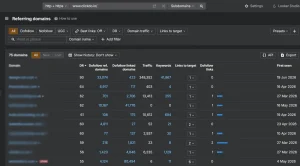 A referring domain is a unique website linking to your site. This is often more important than total backlink count.
For example:
- 5,000 backlinks from 10 domains may not be very strong.
- 800 backlinks from 300 relevant domains may show a healthier link profile.
When checking backlinks, always review:
- Total backlinks
- Total referring domains
- New referring domains
- Lost referring domains
- Link growth over time
- Top countries
- Top pages
- Follow and nofollow links
- Sponsored or UGC link attributes
- Authority metrics
- Traffic estimates
A strong backlink profile normally has links from different domains, different content types, different regions, and different anchor text variations.
3. Check Link Quality
Not every backlink is useful. Some backlinks can support SEO performance, while others may be weak, irrelevant, or risky.
A good backlink usually comes from a website that is:
- Relevant to your niche
- Real and active
- Indexed by search engines
- Updated with useful content
- Trusted by users
- Contextually connected to your topic
- Not overloaded with spam links
- Not created only to sell links
- Likely to send real referral traffic
A backlink from a trusted digital marketing blog to ClickDo IO is more relevant than a random link from an unrelated auto-generated website.
A good backlink should make sense to a human reader. If the link helps the reader find more information, compare services, verify a source, or continue learning, it is more likely to be valuable.
4. Analyse Anchor Text
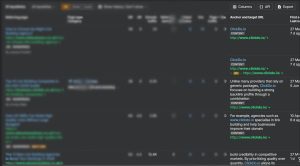
Anchor text is the clickable text used in a backlink. Google recommends anchor text that is descriptive, concise, and relevant to the page being linked to.
A natural backlink profile usually includes a mixture of anchor types.
| Anchor Type | Example for ClickDo IO |
| Branded anchor | ClickDo IO |
| URL anchor | www.clickdo.io |
| Partial-match anchor | ClickDo IO SEO services |
| Topical anchor | guest posting service |
| Commercial anchor | buy backlinks |
| Natural anchor | this SEO guide from ClickDo IO |
| Generic anchor | visit the website |
For ClickDo IO, the safest branded anchor is usually ClickDo IO.
Other natural variations may include:
- ClickDo IO backlinks
- ClickDo IO SEO guide
- ClickDo IO guest posting
- ClickDo IO pricing
- ClickDo IO link building services
- ClickDo IO backlink resources
Avoid using the same exact-match anchor text too often. A backlink profile that overuses phrases such as “buy backlinks,” “casino backlinks,” or “PBN backlinks” may look less natural if the pattern is repeated across many unrelated sites.
5. Find Your Most Linked Pages
Your most linked pages show what other websites already find useful.
These pages may include:
- Original research
- Data studies
- Long-form guides
- SEO tutorials
- Free tools
- Templates
- Statistics pages
- Industry reports
- Case studies
- Service pages
- Pricing pages
- Niche landing pages
If one page attracts many backlinks, you can use it to strengthen the rest of your site with internal links.
For example, if a ClickDo IO guide earns links from SEO blogs and marketing websites, that page can internally link to relevant commercial pages such as:
This helps users move from educational content to service pages when they need expert support.
6. Find Competitor Backlinks
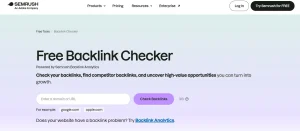 Competitor backlink analysis is one of the most useful ways to find link opportunities. Start by choosing 3 to 5 competitors.
These may be:
- Direct business competitors
- SEO competitors ranking for your keywords
- Affiliate competitors
- Local competitors
- SaaS competitors
- Niche publishers
- Review websites
- Global competitors in your industry
Then check:
- Who links to them
- Which pages attract links
- Which anchor text they receive
- Which guest posts they have published
- Which directories list them
- Which podcasts mention them
- Which publications quote them
- Which resource pages include them
- Which links they recently gained
- Which links they lost
A link gap appears when a website links to your competitors but not to you. These websites may be good outreach targets, especially if they have already shown interest in your niche.
For example, if a website links to several SEO agencies but not to ClickDo IO, it may be worth reviewing whether ClickDo IO could be added through a guest contribution, resource listing, expert quote, case study, or partnership mention.
7. Find Guest Posting Opportunities
Guest posting is still one of the most common ways to earn backlinks when it is done properly. The goal is to publish useful, original content on relevant websites, not to place low-quality articles purely for links.
When analysing backlinks, look for competitor links from guest posts.
These may appear on:
- Marketing blogs
- Business websites
- SaaS publications
- Niche blogs
- Affiliate websites
- Industry magazines
- Entrepreneur websites
- Regional business publications
- Technology websites
Good guest post opportunities usually have:
- Real editorial standards
- Relevant audiences
- Active traffic
- Clear author profiles
- Useful existing content
- Natural outbound links
- Topical relevance
- No obvious spam footprint
Businesses that want help with this process can review the ClickDo IO guest posting service for managed guest post link-building support.
8. Find Niche Backlink Opportunities
Some industries need niche-specific backlink strategies.
This is especially true for competitive or restricted sectors such as:
- Online gaming
- Casino and iGaming
- Finance
- Crypto
- SaaS
- Health
- Legal
- Real estate
- Ecommerce
- Adult sectors
- Local services
- B2B technology
For example, casino and iGaming websites often need backlinks from relevant gaming blogs, review websites, affiliate publishers, and industry-specific content sources. Generic backlinks may not be enough because niche relevance matters.
ClickDo IO has a dedicated casino backlinks service for brands that need niche-relevant link-building support in the casino and iGaming space.
When reviewing niche backlinks, check:
- Whether the linking website is topically relevant
- Whether the content makes sense
- Whether the website has real traffic
- Whether the link placement is natural
- Whether the anchor text is over-optimised
- Whether the site links to too many unrelated industries
- Whether the backlink is useful beyond SEO
9. Understand PBN Backlinks Carefully
PBN backlinks are backlinks from private blog networks. Some website owners use them to build links quickly, but they are also one of the most sensitive areas of SEO because link schemes can violate Google’s spam policies.
Google’s spam policies include link spam examples such as buying or selling links for ranking purposes, excessive link exchanges, automated link creation, and other manipulative link practices.
That does not mean every backlink service is the same, but it does mean website owners should understand the risk, review quality carefully, and avoid low-quality, automated, or obvious spam networks.
If a business is considering PBN backlinks, it should ask:
- Are the websites real and maintained?
- Is the content unique and useful?
- Are the domains topically relevant?
- Is the outbound link profile clean?
- Is the anchor text natural?
- Are the links placed manually?
- Is there a clear strategy?
- Is the risk understood?
- Is this suitable for the website’s long-term SEO plan?
ClickDo IO has a dedicated PBN backlinks page for users who want to understand available PBN backlink options. However, any PBN strategy should be approached with caution, especially for long-term brands, YMYL websites, and businesses that rely heavily on organic search.
10. Check Lost Backlinks
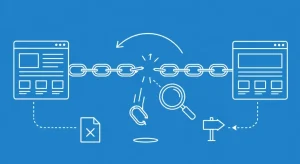 Lost backlinks are links that used to point to your site but no longer do.
Common reasons for lost backlinks include:
- The linking page was deleted.
- The linking website was redesigned.
- The article was updated.
- Your link was removed.
- Your page was deleted.
- Your URL changed.
- A redirect broke.
- The source website went offline.
- The backlink became nofollow.
- The page was canonicalised elsewhere.
Lost backlink recovery can be a quick SEO win. If a valuable backlink was lost because your page now returns a 404 error, you can restore the page or redirect it to the most relevant live page.
If a publisher removed your link during an article update, you may contact them with a useful reason to add it again.
11. Find Broken Backlinks
Broken backlinks are links pointing to dead pages on your site. These are important because they can waste link equity and create a poor user experience.
To find broken backlinks:
- Use an SEO tool to export backlinks pointing to 404 pages.
- Sort the links by referring domain authority or traffic.
- Identify the most valuable broken backlinks.
- Restore the old page if it should exist.
- Redirect the old URL to the most relevant live page.
- Contact high-value linking sites if a link update is needed.
This is especially important after:
- Website redesigns
- Domain migrations
- URL structure changes
- Product removals
- Blog clean-ups
- CMS changes
- International site changes
- Service page updates
A website may already have good backlinks but fail to benefit from them because too many links point to broken URLs.
12. Review Follow, Nofollow, Sponsored, and UGC Links
Backlinks can have different attributes.
| Link Type | Meaning |
| Follow link | A normal link without nofollow, sponsored, or UGC attributes |
| Nofollow link | Tells search engines not to treat the link as a standard endorsement |
| Sponsored link | Used for paid or sponsored placements |
| UGC link | Used for user-generated content such as comments or forum posts |
A natural backlink profile usually includes a mixture of link types. Not every backlink needs to be a follow link to be useful. Nofollow links from major publications, social platforms, forums, and communities can still drive referral traffic, brand visibility, and discovery.
For paid or sponsored placements, proper disclosure and link attributes matter. This is especially important for businesses that want long-term SEO safety.
13. Compare Backlinks by Country and Market
For US and global SEO, backlink location matters.
A US business may benefit from backlinks from:
- US business blogs
- Local newspapers
- State-level directories
- Chambers of commerce
- American industry associations
- US SaaS review platforms
- Local sponsorship pages
- National publishers
A global business may also need backlinks from:
- UK publications
- Canadian websites
- Australian blogs
- European industry websites
- Indian business directories
- Multilingual websites
- Regional news sources
- International SaaS platforms
- Global affiliate publishers
If a website wants to rank globally, its backlink profile should not look limited to one country only. Search engines and users both need signals that the brand is relevant in the markets it serves.
For example, ClickDo IO may attract links from SEO blogs, guest post publishers, casino SEO websites, digital marketing directories, business resources, and international marketing content.
14. Check Backlink Growth Over Time
Backlink velocity means how quickly a website gains or loses backlinks. A natural backlink profile often grows gradually.
Sudden backlink spikes may happen after:
- PR campaigns
- Viral content
- Product launches
- Major announcements
- Research reports
- News coverage
- Tool launches
- Partnership campaigns
However, unnatural spikes from low-quality websites can be a warning sign.
When reviewing backlink growth, check:
- New backlinks
- Lost backlinks
- New referring domains
- Lost referring domains
- Anchor text changes
- Link quality
- Link source patterns
- Country distribution
- Link type distribution
Healthy backlink growth should look purposeful and relevant, not random and automated.
15. Build a Backlink Spreadsheet
After collecting backlink data, export everything into a spreadsheet. This makes it easier to prioritise action.
Suggested columns include:
| Column | Purpose |
| Referring domain | Shows which website links to you |
| Linking page | Shows the exact page containing the backlink |
| Target URL | Shows which page receives the backlink |
| Anchor text | Helps analyse link context |
| Link type | Follow, nofollow, sponsored, or UGC |
| First seen | Shows when the backlink was discovered |
| Last seen | Shows whether the backlink is still active |
| Domain authority metric | Helps with prioritisation |
| Relevance | Shows how closely the source matches your niche |
| Traffic estimate | Helps assess referral value |
| Status | Live, lost, broken, redirected, or removed |
| Action | Keep, reclaim, outreach, monitor, ignore, or review |
This spreadsheet becomes useful for SEO reporting, link-building strategy, digital PR planning, and monthly backlink monitoring.
What Makes a Good Backlink?
A good backlink is not just a link from a high-metric domain. It should be useful, relevant, and natural.
A good backlink usually has:
- Topic relevance
- Editorial placement
- Natural anchor text
- Real audience value
- Indexable source page
- Clean website structure
- Limited spam signals
- Useful surrounding content
- Proper context
- Referral traffic potential
For example, a backlink to ClickDo IO from a respected SEO publication is more meaningful than a backlink from a random unrelated website with no real audience.
The best backlinks are usually earned because the linked page is genuinely helpful. That may include a guide, service page, original insight, pricing resource, data study, or expert explanation.
What Makes a Bad Backlink?
A bad backlink may come from:
- Spam websites
- Irrelevant foreign-language sites
- Auto-generated pages
- Hacked websites
- Low-quality directories
- Link farms
- Sites created only to sell links
- Private networks with obvious footprints
- Pages with hundreds of unrelated outbound links
- Scraped content websites
- Comment spam
- Forum spam
- Low-quality profile links
- Paid links without proper handling
One weak backlink is usually not a crisis. Most websites collect random low-quality links over time. The real concern is a clear pattern of manipulative, irrelevant, or automated backlinks.
Should You Disavow Bad Backlinks?
The disavow tool should be used carefully. Google describes disavowing links as an advanced feature and warns that incorrect use can harm a site’s performance. Google generally recommends using it when there is a manual action for unnatural links or a serious link-spam issue that cannot be cleaned up otherwise.
Do not disavow links just because an SEO tool labels them as “toxic.” Tool scores are useful indicators, but they are not final proof.
A safer process is:
- Export suspicious backlinks.
- Review the links manually.
- Look for repeated patterns.
- Try removal outreach if needed.
- Disavow only when there is a strong reason.
- Keep records of all decisions.
For most websites, ignoring random low-quality scraper links is better than aggressively disavowing everything.
How ClickDo IO Fits Into Backlink Strategy?
 Finding backlinks is only the first step. Once you understand the backlink profile, the next question is what to do with that information.
ClickDo IO can be positioned naturally as a backlink and SEO support provider for businesses that want help with:
- Backlink analysis
- Competitor backlink research
- Guest posting
- Niche link building
- Casino backlinks
- PBN backlink options
- Link-building planning
- Backlink pricing transparency
- Anchor text strategy
- SEO campaign support
Useful ClickDo IO pages to include in a backlink strategy are:
- Guest posting service for brands that want managed guest post placements.
- Casino backlinks service for iGaming and casino SEO campaigns.
- PBN backlinks service for users researching PBN backlink options.
- Backlink pricing page for businesses comparing backlink packages and campaign costs.
These internal links should be used naturally, not forced into every section. The best placements are usually where the reader is already thinking about link acquisition, guest posting, niche links, or pricing.
How Often Should You Check Backlinks?
Backlink monitoring frequency depends on the size and competitiveness of the website.
| Website Type | Suggested Backlink Check Frequency |
| Small business website | Monthly or quarterly |
| Local SEO website | Monthly |
| Ecommerce website | Monthly |
| SaaS website | Monthly or biweekly |
| Affiliate website | Monthly |
| News website | Weekly or monthly |
| Casino or iGaming website | Weekly or biweekly |
| Enterprise website | Weekly |
| Website with manual action history | Weekly or as needed |
| Active link-building campaign | Weekly |
Competitive niches need closer monitoring because backlink movement can be faster. Casino, finance, SaaS, legal, ecommerce, and affiliate websites often need more frequent backlink analysis than small local business websites.
What are the Free Ways to Find Backlinks for a Site?
You do not always need paid tools to start backlink research.
Free or low-cost methods include:
- Google Search Console
- Bing Webmaster Tools
- Manual brand searches
- Google search operators
- Free backlink checker trials
- Referral traffic in analytics
- PR mention tracking
- Social listening
- Competitor mention searches
- Directory listing checks
Useful Google search operators include:
- “brand name” -site:branddomain.com
- “www.example.com” -site:example.com
- “example.com” backlinks
- “brand name” guest post
- “brand name” review
- “brand name” interview
- “brand name” resource
For ClickDo IO, examples may include:
- “ClickDo IO” -site:clickdo.io
- “www.clickdo.io” -site:clickdo.io
- “ClickDo IO” guest posting
- “ClickDo IO” backlinks
- “ClickDo IO” casino backlinks
These searches can help find brand mentions, guest posts, citations, interviews, and articles that may not appear immediately in basic backlink tools.
Paid Backlink Tools vs Manual Backlink Research
Paid backlink tools are faster and more scalable. Manual research is slower but useful for context.
| Method | Strength | Limitation |
| Google Search Console | Free and reliable for owned sites | No competitor data |
| Paid SEO tools | Strong for competitor research | Data differs by platform |
| Manual Google searches | Good for mentions and context | Not complete |
| Analytics referral data | Shows traffic-driving links | Misses non-clicked links |
| Outreach spreadsheets | Good for campaign management | Requires manual maintenance |
The best backlink analysis process combines tools with manual review. Do not rely only on automated scores.
Backlink Checklist
Use this checklist when reviewing backlinks:
- Is the linking website real?
- Is the linking page indexed?
- Is the website relevant to your niche?
- Is the content useful?
- Is the link placed naturally?
- Is the anchor text sensible?
- Is the target page live?
- Is the link follow, nofollow, sponsored, or UGC?
- Does the source website have real traffic?
- Does the page have too many outbound links?
- Does the link look paid or manipulative?
- Is the backlink from a unique referring domain?
- Does the link support users?
- Should the link be kept, reclaimed, ignored, or reviewed?
Final Thoughts
Learning how to find backlinks for a site is one of the most valuable SEO skills for website owners, marketers, agencies, and publishers.
Backlink analysis helps you understand who links to your website, which pages attract authority, where competitors are earning links, and what opportunities exist for growth.
Start with Google Search Console if you own the website. Use backlink tools when you need competitor research, historical backlink data, lost link reports, anchor text analysis, and referring domain comparisons.
For US and global websites, do not focus only on backlink quantity. Look at relevance, trust, geography, anchor text, link type, and topical fit. A smaller number of high-quality, relevant backlinks can often be more useful than a large number of weak or unrelated links.
For businesses that want expert support, ClickDo IO offers backlink-related services through guest posting, niche backlinks, casino backlinks, PBN backlink options, and transparent backlink pricing.
The best strategy is to combine careful backlink analysis with useful content, natural anchor text, relevant placements, and a long-term SEO plan.
FAQs About How to Find Backlinks for a Site?
What is the best way to find backlinks for a site?
The best way to find backlinks for your own site is to use Google Search Console. For competitor websites or deeper backlink analysis, use SEO tools such as Ahrefs, Semrush, Moz, Majestic, SE Ranking, or Ubersuggest.
Can I find backlinks for a competitor site?
Yes. Backlink tools allow you to enter a competitor domain and see many of the websites linking to them. This helps you find guest post opportunities, niche websites, resource pages, directories, PR mentions, and link gaps.
Are backlinks still important for SEO?
Yes, backlinks remain important because they help search engines discover pages and understand relationships between websites. However, quality, relevance, and natural placement matter more than simply having a high number of links.
What is a referring domain?
A referring domain is a unique website that links to your site. One referring domain can send one backlink or many backlinks. Referring domains are often more useful to analyse than total backlink count.
How do I find backlinks for free?
You can find backlinks for free using Google Search Console if you own the website. You can also use Bing Webmaster Tools, free backlink checker trials, manual Google searches, brand mention searches, and analytics referral data.
What makes a backlink high quality?
A high-quality backlink usually comes from a relevant, trusted, active website. It should be placed naturally inside useful content and use anchor text that makes sense for the reader.
Are PBN backlinks safe?
PBN backlinks can carry SEO risk if they are low quality, obvious, automated, irrelevant, or created only to manipulate rankings. Any PBN strategy should be reviewed carefully and understood before use.
Should I disavow bad backlinks?
You should not disavow backlinks simply because a tool labels them toxic. Review suspicious links manually first. Google recommends using the disavow tool carefully, mainly for serious link-spam issues or manual actions.
Can ClickDo IO help with backlinks?
Yes. ClickDo IO provides backlink-related services including guest posting, casino backlinks, PBN backlink options, and backlink pricing plans for businesses that want structured SEO support.


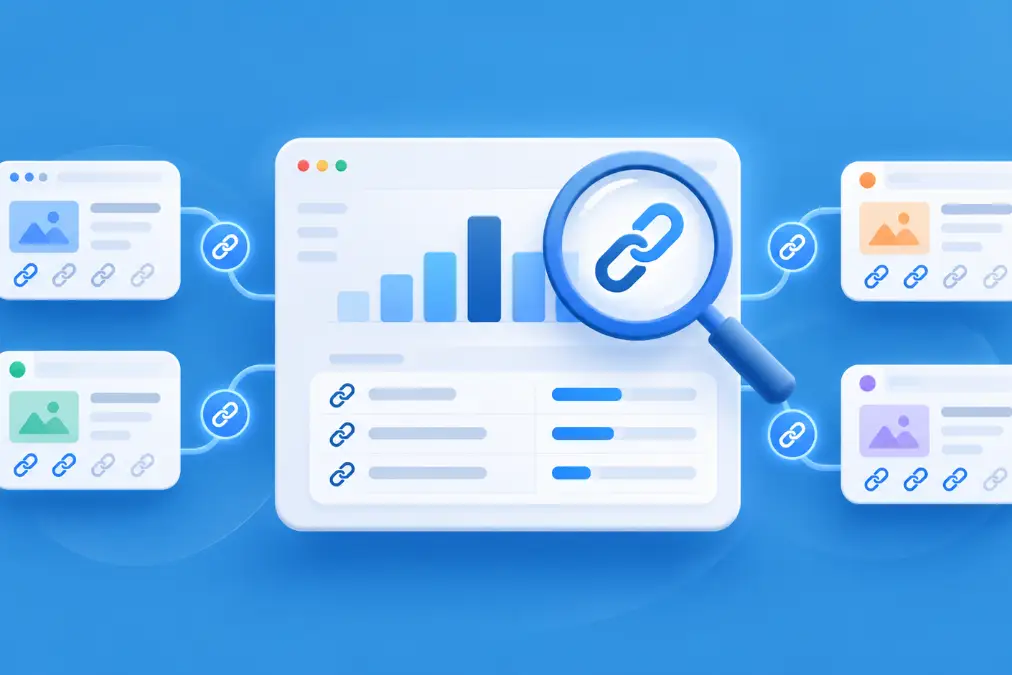

[…] a more extensive audit, our process for finding backlinks to a website explains how to combine Search Console with additional SEO research […]